 Accounting Scalable
Time, projects & invoicing
Record time. Manage projects. Invoice your work.
With Solo, Holding and Serial Entrepreneur, record time for customers, projects and activities, set hourly rates and transfer billable entries into a new or existing invoice draft.
The feature scope
What you can do with it.
Time tracking, project allowances and time invoicing in one app, from recording entries to the invoice draft.
Record time in the calendar or start an entry
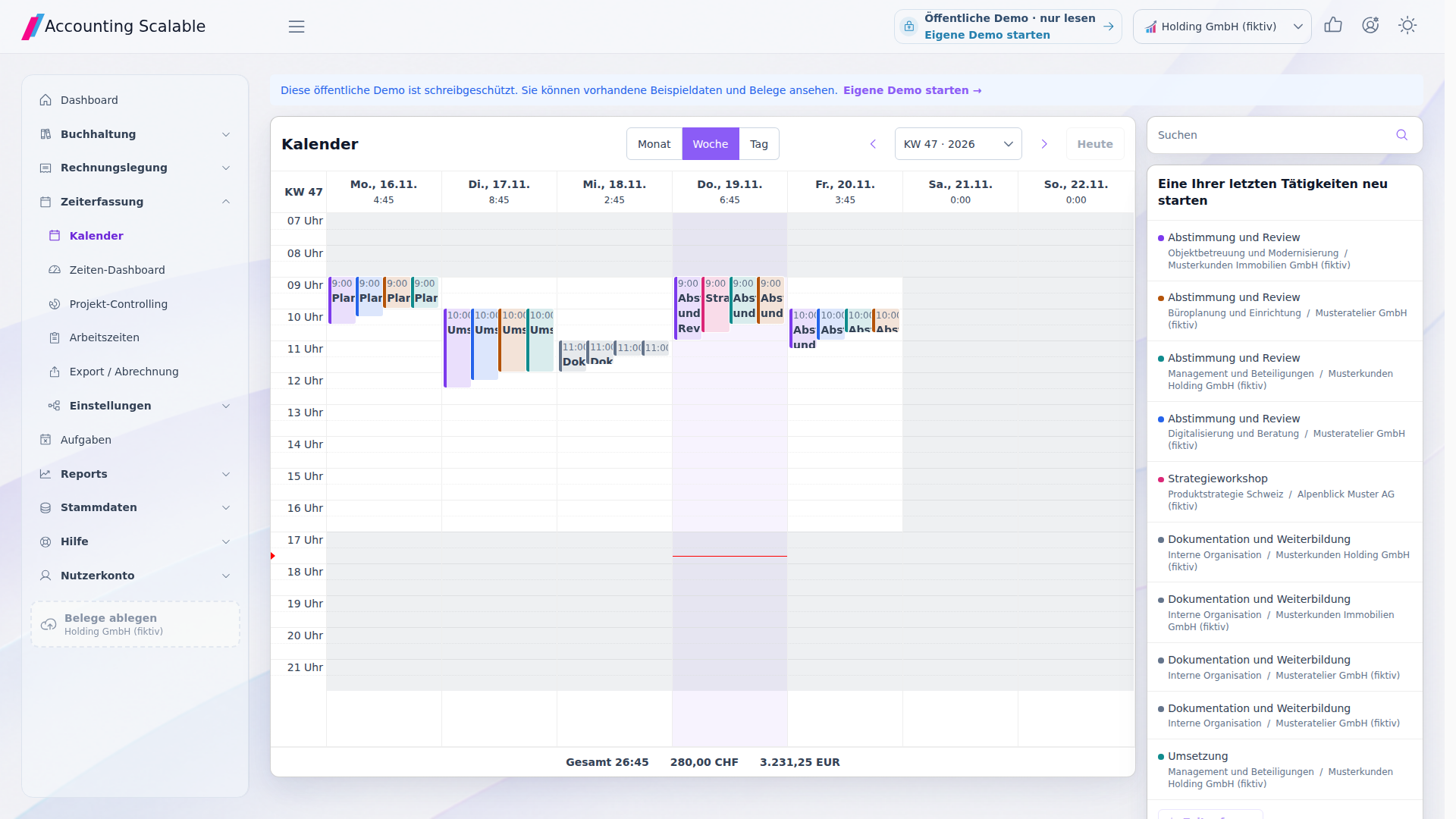
Record your own time in month, week or day view. Start and stop running entries, move entries or change their duration. New and time-edited completed entries are saved to the nearest minute; a description is optional.
Your week at a glance
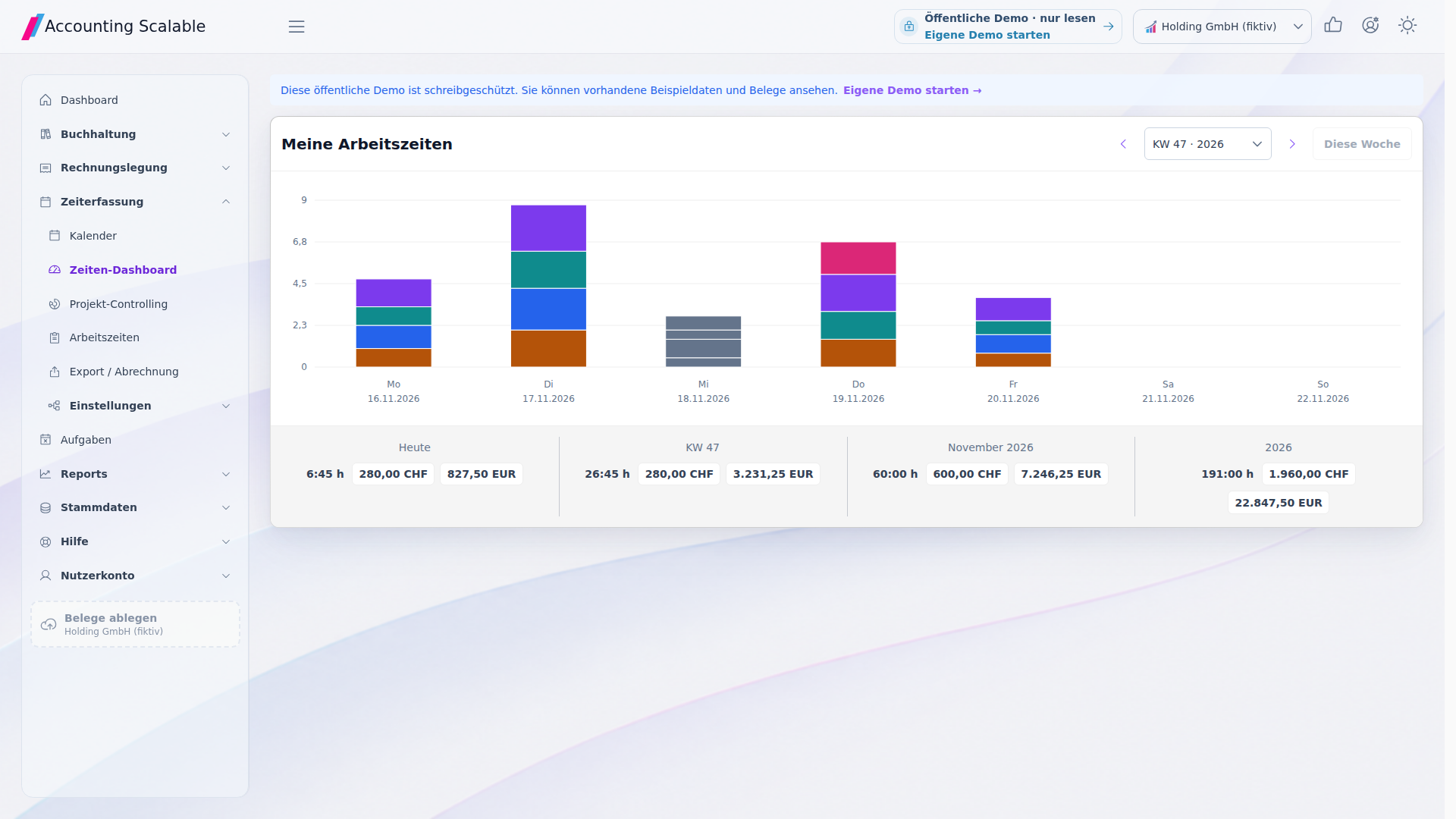
Your personal time dashboard shows the week with daily bars by activity. Review hours and billable amounts for today, the selected week and its corresponding month and year. Currencies stay separate. Click an activity segment to open the matching time entries.
Customers, projects and the right hourly rates
Use existing business partners or create customers directly. Organise projects and activities underneath them. Hourly rates apply per user: the activity rate takes priority, followed by the project rate and then the customer rate. Saved time entries retain their original rate and currency.
Review time allowances and monetary budgets
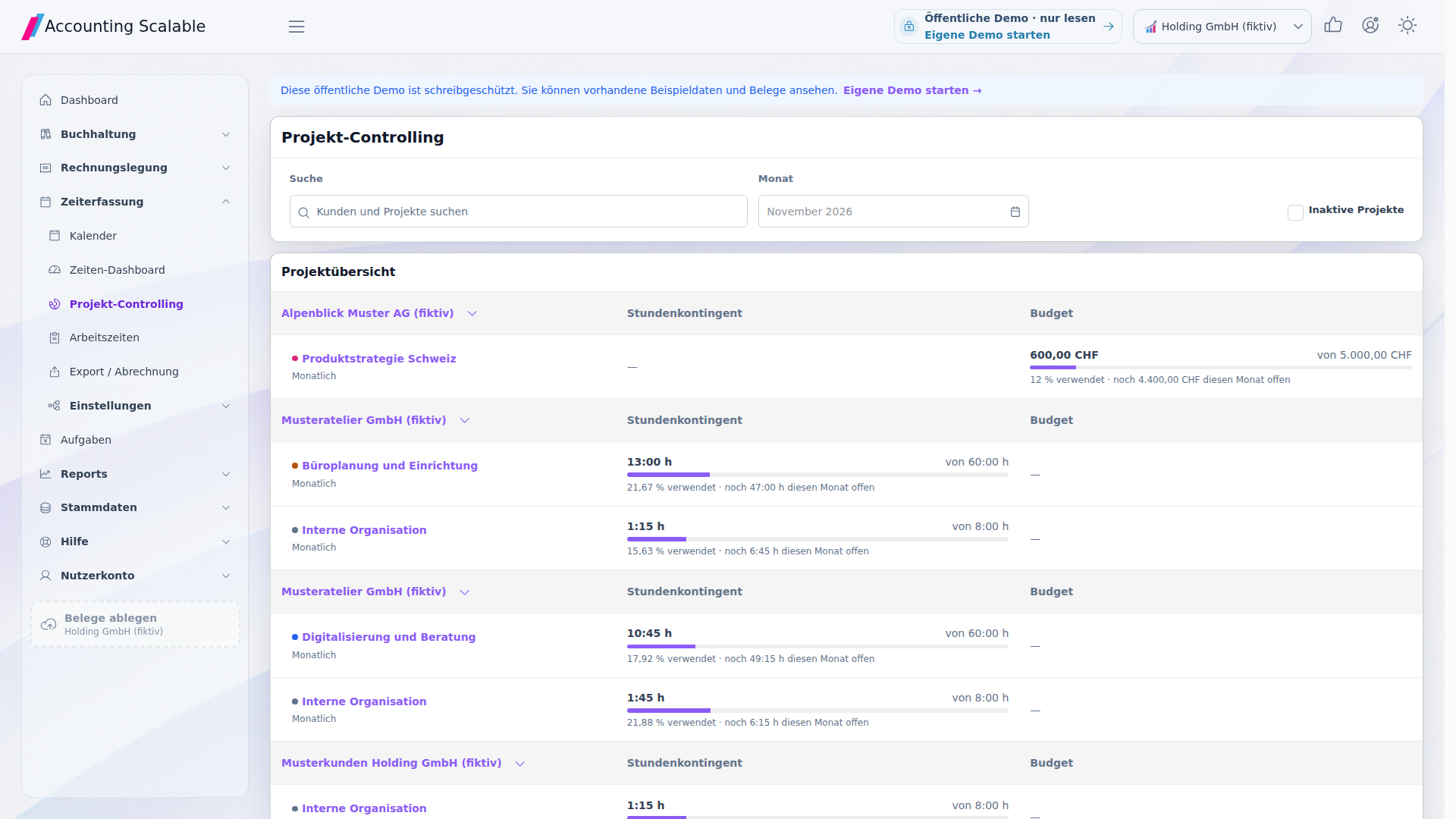
Review time allowances and monetary budgets for each project or activity, either overall or monthly. Project controlling groups projects by customer. Overall allowances show usage through the end of the selected month; monthly allowances cover that month only. Open the underlying time entries directly from the usage figures.1
Filter time entries and download an Excel file
Filter your time entries by period, customer, project, activity and other criteria. Compare billable and non-billable time values per currency and download the details as an XLSX file. Downloading does not automatically mark entries as exported; marking them is a separate action and is not an invoice status.
Track time and invoice it directly
Select completed, billable entries for the same customer, company and currency. Review the line items grouped by project, activity and saved hourly rate. Explicitly supply missing prices; check the tax treatment, quantities and amounts in the invoice draft. Optionally attach a time report to the invoice PDF; employee names are optional. Saving the draft assigns the time entries. Finalising, posting and sending remain separate actions.2
How to work with it
A clear workflow.
Set up a customer and project
Use an existing business partner or create a new customer. Assign projects and activities and set hourly rates for the relevant users.
Record and review your own time
Record entries in the calendar or start and stop a running entry. Review your week in the dashboard and project allowances in project controlling.
Review and invoice your work
Filter your time entries for Excel export or select billable entries for an invoice draft. Review the line items and time report before saving and finalising.
Your questions
Brief answers.
Does Solo already include all time-tracking features?
Yes. Solo, Holding and Serial Entrepreneur include the same complete time-tracking features, including project controlling, Excel export and time invoicing.
Do new hourly rates apply retrospectively to older entries?
No. A time entry stores its hourly rate and currency. New prices do not automatically change saved valuations. Changes to duration are calculated using the saved rate.
Does recorded time automatically become an invoice?
Explicitly select the time entries and review the line items in the invoice draft. Saving the draft assigns the entries. Finalising, posting and sending remain separate actions.
What can I try in the public demo?
The public demo shows fictional entries in the calendar, dashboard, working-time list and project controlling. In Export / Invoicing, filter the sample data and download an Excel file. Creating entries, marking exports and transferring time to invoices are disabled there; try your own input in your personal demo.
Connected
The next step in your workflow.
See for yourself
See the workflow.
Explore sample data or start your own test instance with your data.
Content updated on .
Notes and requirements
Time allowances count all completed entries; monetary budgets count only billable entries with a price. Missing prices make the displayed monetary balance provisional. Limits can be exceeded, and overruns are displayed. Monthly allowances do not carry forward; currencies are neither added together nor converted.
Time tracking and time invoicing are included in Solo, Holding and Serial Entrepreneur. The public demo does not allow your own changes. The PDF time report is unavailable for XML-only XRechnung exports.
The interface records time for the signed-in user. The shared working-time list also displays other users’ entries from accessible companies as read-only; you can edit only your own entries. The app interface is mainly in German.
The offering is exclusively for businesses within the meaning of section 14 BGB.