 Accounting Scalable
Prepare, review, submit
E-Bilanz has its place in the year-end process.
If you prepare your own year-end accounts, E-Bilanz also belongs in your workflow. Accounting Scalable connects the financial year's posting data with master data and existing taxonomy mappings. Clarify open points, review the generated export and deliberately decide on submission.
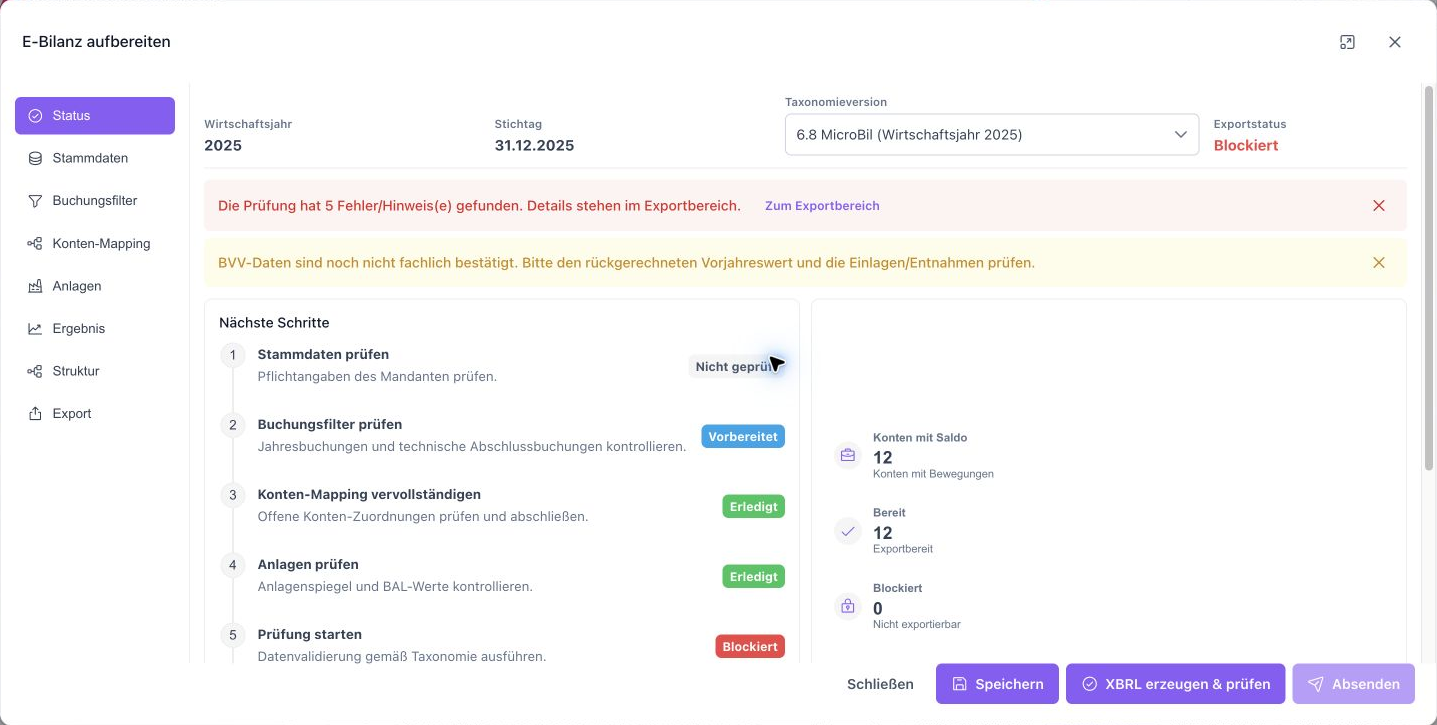
The feature scope
What you can do with it.
Prepare E-Bilanz data with taxonomy mapping, generate XBRL and explicitly submit after review.
Check master data and mappings
Edit master data, posting filters, account mapping, fixed assets and the net asset comparison in the E-Bilanz dialog.
Versioned taxonomy
Existing account mappings are evaluated against the selected taxonomy version. Missing or unsuitable mappings remain visible as points to clarify.
Review before sending
Validate your current export with ERiC and check the validation log.2
Submit your E-Bilanz to the tax office
Submit the reviewed E-Bilanz directly to the tax office after your confirmation. The transmission log records the result.4
How to work with it
A clear workflow.
Clarify preparation
Check master data, account balances, mapping and fixed asset/result details.
Generate and check export
Generate current XBRL/XML and resolve blockers from local validation and ERiC.
Deliberately approve sending
Once the requirements are met, confirm production submission and check the transmission log.
Your questions
Brief answers.
What does the E-Bilanz feature cover?
Prepare data, generate XBRL/XML, validate the export with ERiC and submit the approved E-Bilanz directly to the tax office.
Where do I see the submission result?
The E-Bilanz dialog shows validation status and submission result. The log documents each step.
Connected
The next step in your workflow.
See for yourself
See the workflow.
Explore sample data or start your own test instance with your data.
Content updated on .
Notes and requirements
Exportable combinations require the appropriate taxonomy artifact and complete account mappings.
ERiC libraries, certificate and instance configuration must match the supported submission method.
No complete coverage of all legal forms, special profiles and special-purpose balance sheets.
After a successful initial submission, V1 does not support renewed correction/revision submission.
The offering is exclusively for businesses within the meaning of section 14 BGB.