 Accounting Scalable
From quotation to payment
Write invoices. Know the payment status.
A quotation becomes an order, and an order becomes an invoice. Organize this process in Accounting Scalable with business partners, reusable line items and traceable document statuses.
The feature scope
What you can do with it.
Quotations, invoices, e-invoices, payments and reminders in one connected workspace.
Track time and invoice it directly
With Solo, Holding and Serial Entrepreneur, record time for customers, projects and activities, set hourly rates and transfer billable entries into a new or existing invoice draft. Select completed, billable entries for the same customer, company and currency. Review the line items grouped by project, activity and saved hourly rate. Explicitly supply missing prices; check the tax treatment, quantities and amounts in the invoice draft. Optionally attach a time report to the invoice PDF; employee names are optional. Saving the draft assigns the time entries. Finalising, posting and sending remain separate actions.5
Business partners and services
Maintain customers, suppliers, contacts and a product or service catalog. Reusable line items make the next invoice easier.1
From quotation to follow-on document
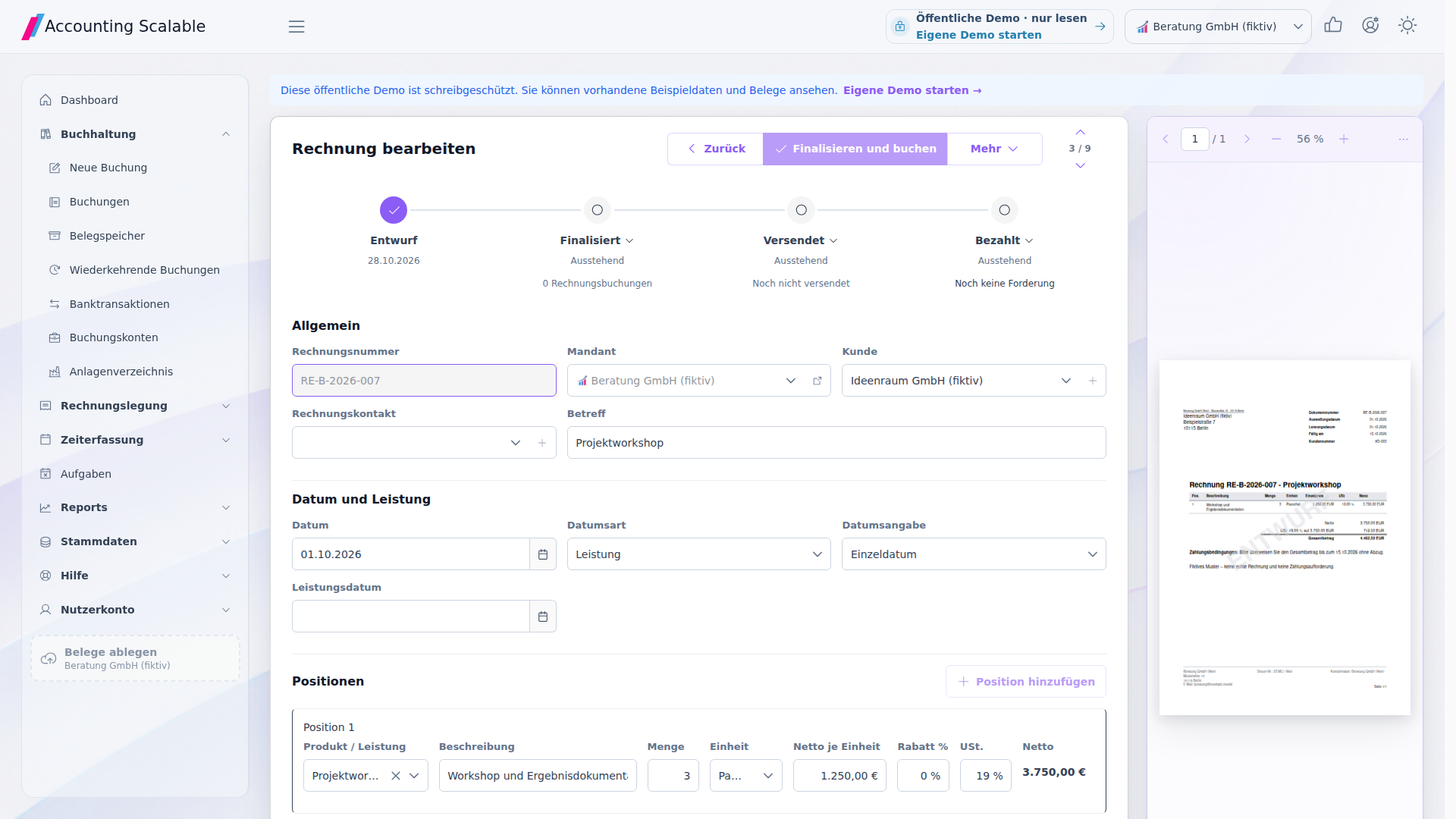
Create and copy quotations and invoices. Also create order confirmations, delivery notes and credit notes.3
Your documents, clearly designed
Use versioned PDF letterhead, your own document text and number sequences per company and document type. Check the result directly in the document preview.
Outstanding amounts instead of guesswork
Track payments, partial payments, outstanding amounts and overdue items. The overview shows which invoices remain open.2
Correct with a link to the original
Corrections and reversal documents remain linked to their origin. Finalized documents are not silently overwritten.
Deliberately trigger sending and reminders
Send finalized documents and track their status. Trigger payment reminders and dunning notices deliberately.4
Connect invoicing and bookkeeping
Pass invoices to the posting form or link a suitable existing entry. Check account allocation as you do so.
Installable online PWA
Capture documents where they arise
Open the online PWA in its own App window and store document files from your device in the appropriate company. On supported devices, you can also pass files to the installed App through the share dialog.6
- 01 /
Select receipt file
Select PDF, JPEG, PNG or XML on your device. Alternatively, use “Share” if your system offers the installed app as a destination.
- 02 /
Check company
Select the right company and check that the receipt belongs to it. Installing the app does not replace this assignment.
- 03 /
File it and keep working
Store the receipt, find it again and check it during the subsequent booking workflow. An internet connection is required.
How to work with it
A clear workflow.
Prepare a quotation
Select the business partner and line items. Check prices, tax rule and terms.
Create an invoice
Derive a follow-on document or create a new draft. Check the preview and required details.
Trace a payment
Finalize and post the invoice. Track the outstanding amount and due date.
Your questions
Brief answers.
Can I turn quotations into invoices?
Yes. Transfer line items to a new document draft. The origin and separate document version remain traceable.
How do I track outstanding invoices?
The invoice overview shows payment statuses, outstanding amounts and due dates. Open an invoice and its line items from there.
Connected
The next step in your workflow.
See for yourself
See the workflow.
Explore sample data or start your own test instance with your data.
Content updated on .
Notes and requirements
Invoicing is not inventory management or a complete CRM.
Manually linking an entry does not import operational outstanding items and does not count as payment.
Foreign currency invoices require professionally reviewed EUR valuation. Automatic conversion or complete exchange difference processing is not promised.
A document export does not send an email. Sending requires suitable configuration and a deliberate action.
Time tracking and time invoicing are included in Solo, Holding and Serial Entrepreneur. The public demo does not allow your own changes. The PDF time report is unavailable for XML-only XRechnung exports.
The PWA requires an internet connection. Installation and file transfer depend on browser and operating system. In supported Chromium environments, the installed App can appear as a share target. Without such a share target, select the file directly in the App. An iOS share target is not part of the described workflow. A native app-store app or offline bookkeeping is not offered.
The offering is exclusively for businesses within the meaning of section 14 BGB.