 Accounting Scalable
Stripe Billing · Serial Entrepreneur
Bring Stripe invoices into your bookkeeping.
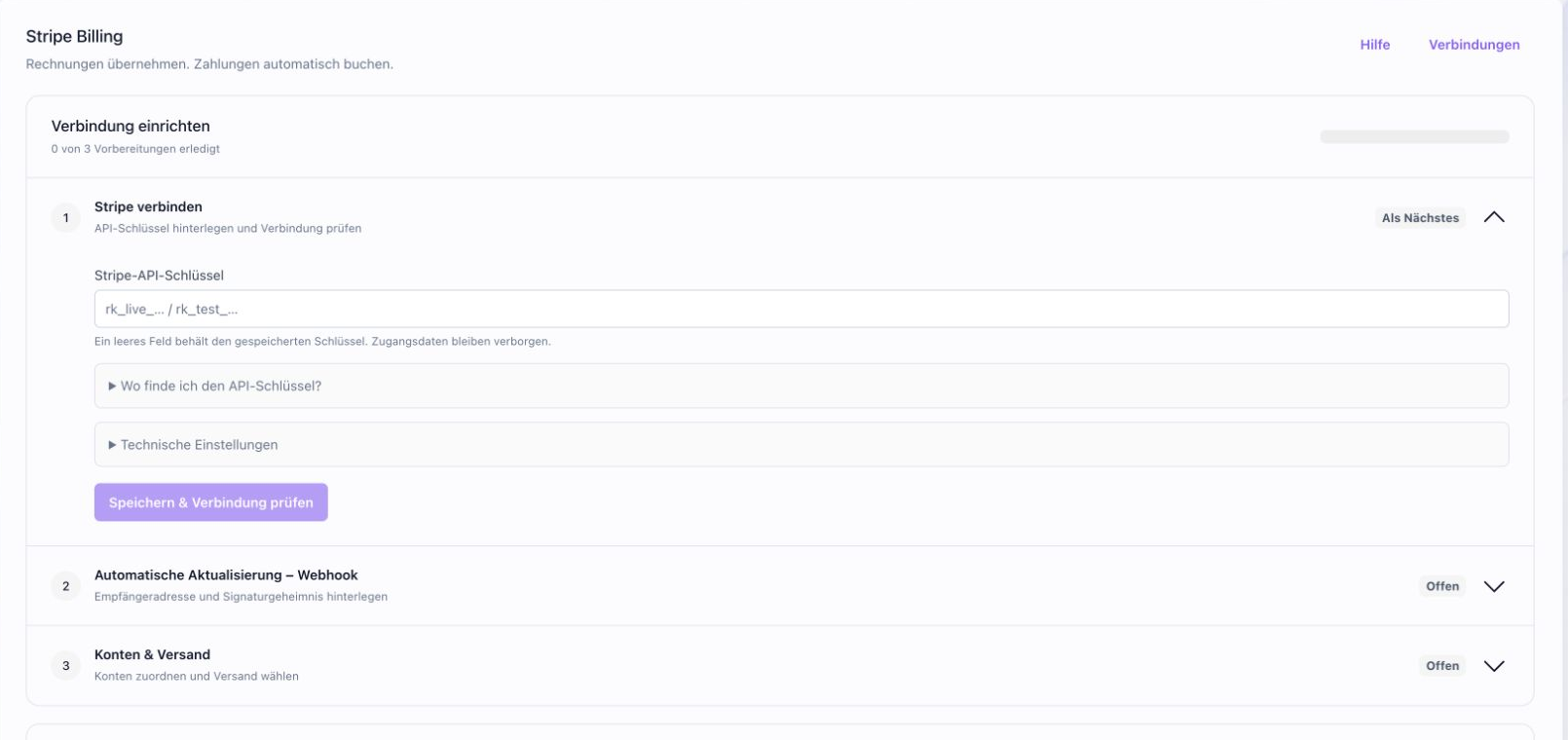
Connect Stripe Billing for the selected company, set up required accounts and explicitly enable processing. Invoices and payment workflows use the same traceable posting process.
The feature scope
What you can do with it.
Automatically capture Stripe invoices and post invoice and payment transactions. Included in Serial Entrepreneur.
Invoices and e-invoices
Import Stripe invoices and process ZUGFeRD documents with a reference to the original invoice number.
Post invoices and payments
Invoices, payments, allocations and refunds are processed in the supported adapter and posting workflow.2
Check incoming documents and pause
Check incoming documents and resolve errors in the App. Your MCP agent can also help with retrieval and processing.3
How to work with it
A clear workflow.
Prepare the connection
Open Stripe for the desired company and enter the required keys only in the App.
Check configuration
Check connection, webhook, accounts and desired sending scope.
Enable processing
Enable processing and check incoming documents and posting results.
Your questions
Brief answers.
Which plan includes Stripe Billing?
Stripe Billing is included in Serial Entrepreneur. Set up the connection directly in your instance.
How do I monitor processing?
Check incoming documents, statuses and posting results in the App. Resolve errors and pause processing there.
Connected
The next step in your workflow.
See for yourself
See the workflow.
Explore sample data or start your own test instance with your data.
Content updated on .
Notes and requirements
In production, the integration is reserved for the Serial Entrepreneur plan.
Fees, payouts and advance payments are not posted automatically.
A downgrade pauses the integration. Existing documents remain accessible; after upgrading, the prescribed reactivation is required.
Keys and connection settings are maintained only in the App.
The offering is exclusively for businesses within the meaning of section 14 BGB.