 Accounting Scalable
Bank data through GoCardless
Review bank transactions where you do your bookkeeping.
Connect your company bank accounts through GoCardless. New transactions provide the starting point for your bookkeeping. Review the business transaction, add the document and create the appropriate entry.
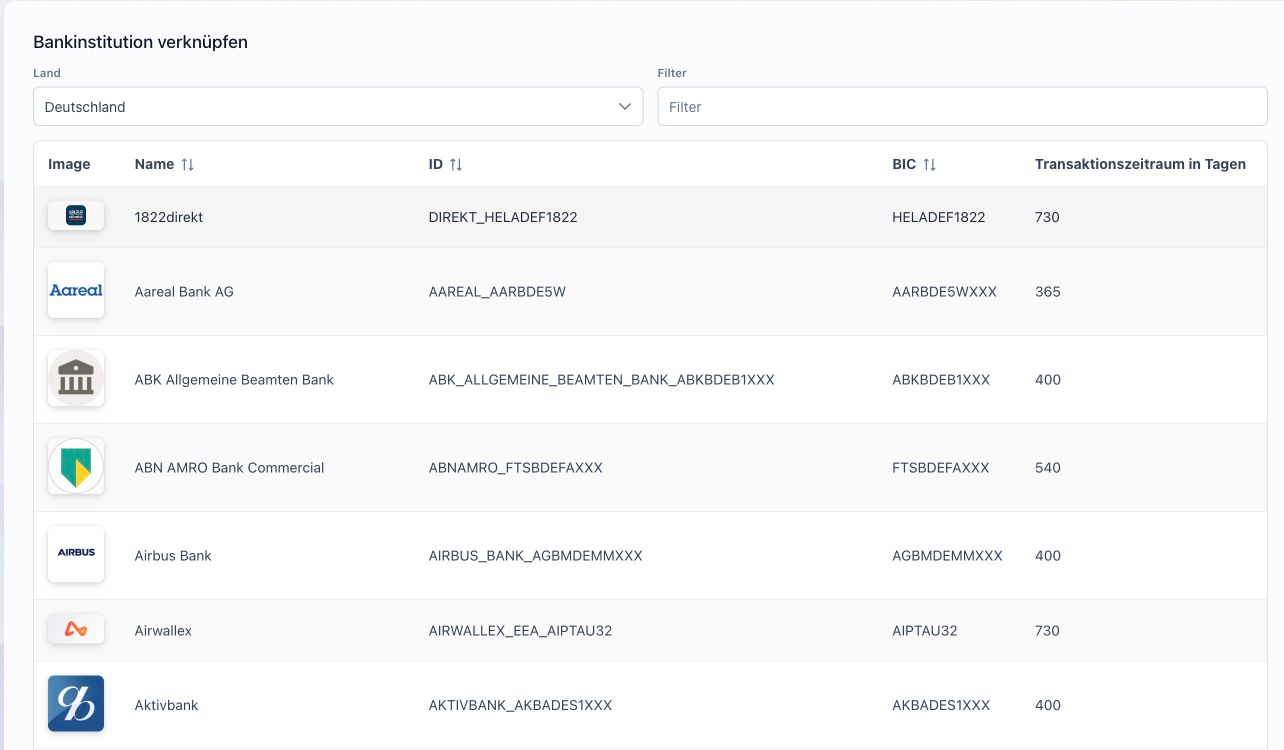
The feature scope
What you can do with it.
Connect bank accounts through GoCardless, retrieve balances and transactions, and bring bank transactions directly into your bookkeeping.
Transactions and balances
Read bank transactions and balances supplied by the provider. Unposted transactions are visible in the work status.
From bank transaction to entry
Use the bank transaction as the starting point for an entry or match. Accounts, amounts and document links remain available for review.3
Renew bank access
An assistant guides you through renewing authorization for existing bank access when needed.
How to work with it
A clear workflow.
Select a bank
Select a supported bank and start the connection.
Authorize access
Confirm access through the bank/provider workflow.
Process transactions
Review new transactions and bring them into your bookkeeping.
Your questions
Brief answers.
How do I connect my business bank account?
Start the connection in your personal instance, select your bank and authorize bank access.
How does a bank transaction become an entry?
Open the bank transaction, add the document and account allocation and review the entry before saving.
Connected
The next step in your workflow.
See for yourself
See the workflow.
Explore sample data or start your own test instance with your data.
Content updated on .
Notes and requirements
Data availability, period and freshness depend on the bank, provider and valid consent.
The bank data connection does not initiate payments.
Foreign currency transactions require manual EUR valuation depending on the posting method.
The offering is exclusively for businesses within the meaning of section 14 BGB.