 Accounting Scalable
VAT
From posting data to a reviewed return.
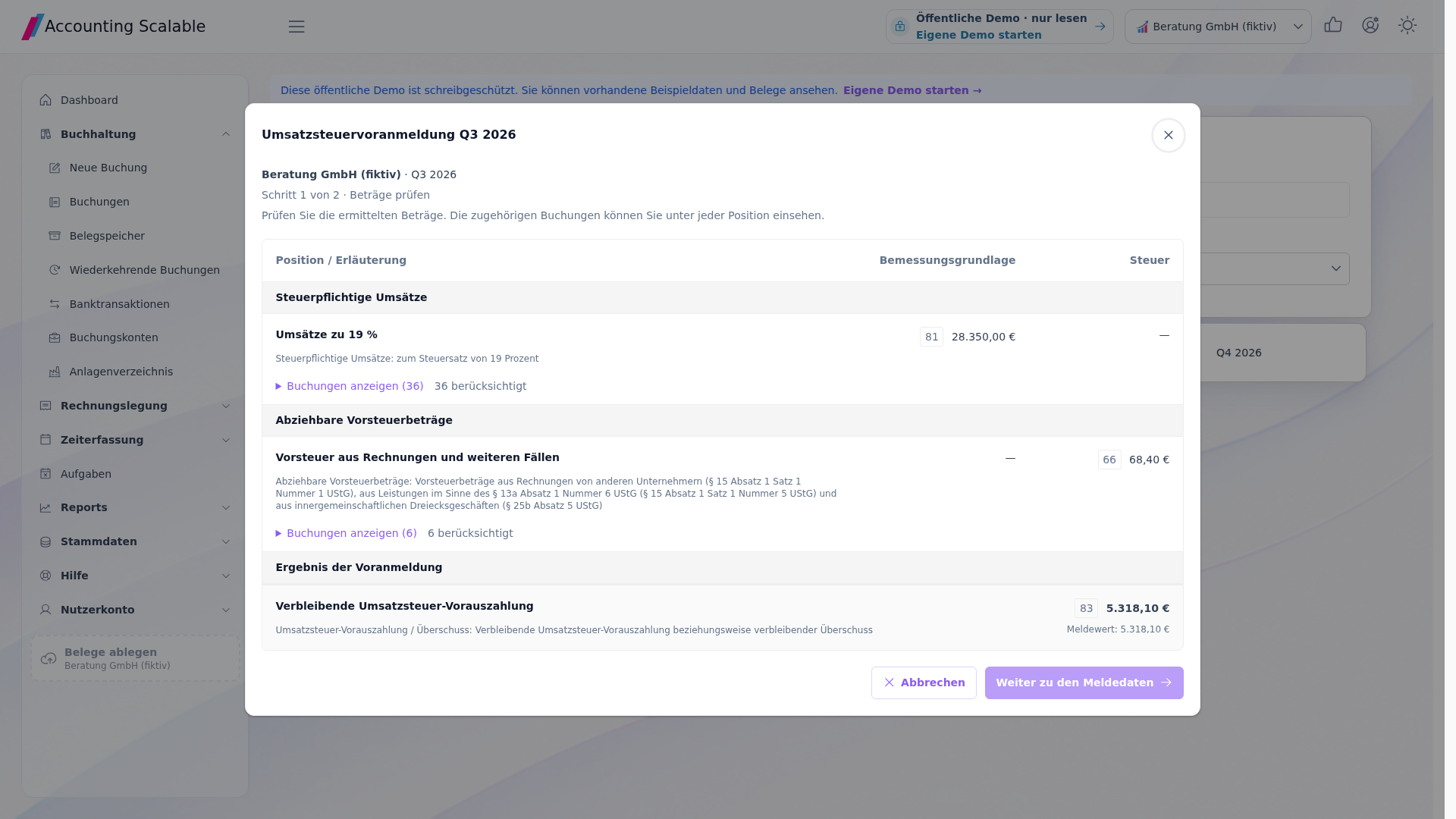
The VAT report shows more than a final amount. Review the underlying entries and submit the completed return directly to the tax office.
The feature scope
What you can do with it.
Create advance VAT and annual VAT returns from your entries, review them and submit directly to the tax office.
Advance VAT return
Calculate monthly or quarterly figures to match your company's filing interval. Review the items and underlying entries.
Annual VAT return
Prepare annual figures from your entries and create your annual VAT return.
Recurring tasks
Suitable task templates support the regular workflow. The chosen filing interval must match the company.4
How to work with it
A clear workflow.
Choose a period
Select the company and configured monthly or quarterly interval.
Understand the calculation
Review items and their assigned business transactions.
Edit return
Use the configured validation and submission workflow and check the result.
Your questions
Brief answers.
Can I check the basis of an advance VAT return?
Yes. The review view shows return items and the underlying entries.
How do I submit VAT to the tax office?
Create and review the return in the App. Then confirm transmission through the configured ERiC access and check the log.
Connected
The next step in your workflow.
See for yourself
See the workflow.
Explore sample data or start your own test instance with your data.
Content updated on .
Notes and requirements
Supported years, tax configuration and ERiC/certificate configuration govern use.
The features described here do not cover every ELSTER procedure, such as payroll tax returns.
The agent can read supported report data; this does not imply an MCP submission action.
Tasks help you organize work; they do not automatically check all statutory deadlines.
The offering is exclusively for businesses within the meaning of section 14 BGB.