 Accounting Scalable
Guide · As of
Posting a software invoice from abroad: what to check before posting
Check the actual invoice issuer, recipient, service received and period. Only then assess place of supply, possible VAT liability and possible input VAT deduction. Brand, currency, filename or the absence of German VAT do not decide these questions alone.1
Who is it for? Business owners and people doing their own bookkeeping for a German GmbH/UG who buy business software/online services from abroad; individual cases and special rules must be clarified separately.3
From original document to an accounting and tax decision
Open the original invoice and related contract/order information. Record the legal issuer, its registered location, your recipient company, the service and service period. Keep billing and payment records together, without treating a credit card debit as a fully reviewed invoice.
When changing providers, buying from a reseller or purchasing through an app store, the document and contract may relate to a different legal entity from the familiar product brand.
Basics: UStG §14: Invoice and audit trail · OpenAI Services Agreement, effective from 1 January 2026 · Google Ads Help: Billing options
Clarify B2B place of supply, VAT liability and input VAT separately
For other services supplied to businesses for business purposes, §3a(2) UStG contains a general rule based on the recipient's location; special rules must still be considered. §13b deals with the recipient's VAT liability under certain conditions. EU and other cross-border cases must not be treated alike without checking.
Even if the recipient owes VAT, input VAT deduction is a separate step. Business use, statutory requirements and exclusions must be checked. Small businesses under the Kleinunternehmer rules must not automatically assume that a possible §13b obligation gives them a corresponding right to deduct input VAT.
Basics: UStG §3a: Place of supply of services · UStG §13b: Recipient as the person liable for VAT · UStG §15: Input VAT deduction · Umsatzsteuer-Anwendungserlass (VAT application guidance), current as of 2 June 2026
Check a ChatGPT invoice for the GmbH
First clarify which service and ordering channel are involved: an individual account, ChatGPT Business, the API and a reseller are not the same contractual model. The current OpenAI terms distinguish these channels and name OpenAI Ireland Ltd for the respective EEA/Swiss arrangements.
The actual document remains decisive for your posting. In particular, check the recipient company, business account details, issuer, period and tax details; a VAT ID saved on file is no substitute for this assessment.
Basics: OpenAI Services Agreement, effective from 1 January 2026 · OpenAI Europe Terms, updated 16 January 2026 · OpenAI Help: Billing information / VAT ID · UStG §15: Input VAT deduction
Google Ads: read account and billing information together
The official Google Ads help distinguishes between payment options, country/account contexts and contracting parties. Open the invoice and payment profile details for the specific account. ‘Google Ads’ alone tells you neither the legal issuer nor the tax circumstances.
Compare the document, billing period and payment. An account statement or debit summary may have a different purpose from the invoice. Clarify inconsistent recipient/tax details before finally assigning the transaction.
Basics: Google Ads Help: Billing options · Google Ads Help: Taxes in your country · UStG §14: Invoice and audit trail
Two fictional documents, different review results2
The following examples are not original OpenAI or Google invoices. They illustrate two limited review situations using fictional providers and test companies; brand or currency does not determine VAT treatment.
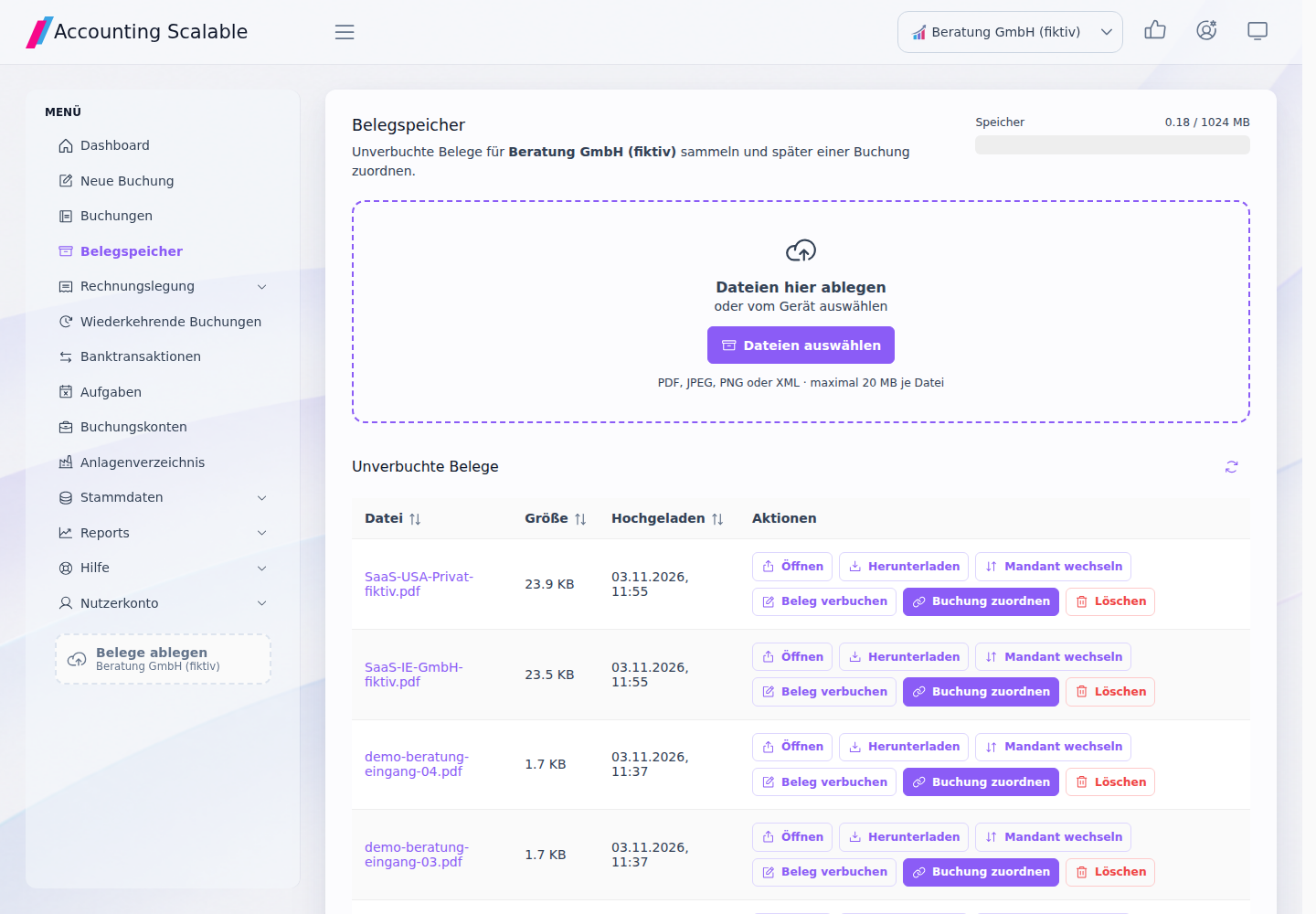
Store the two fictional sample invoices in the document storage of Beratung GmbH (fictional) and compare the stored originals with the source documents. The invoices remain unposted until clarified: saving them alone does not resolve the outstanding recipient discrepancy.
Fictional EU SaaS document for a GmbH
ExampleSoft Ireland Ltd (fictional) issues a software document clearly marked as a test document to Beratung GmbH (fictional). This is not an original invoice from a brand provider.
Review questions: is the recipient company correct? Was the service received for its business, with no special place-of-supply rule applying? What legal issuer/residency and tax details follow from the contract and invoice? Which §13b requirements and separate §15 requirements are met?
Verifiable result: the original file can be found in the correct test company. The posting and tax decision follows only after the checks described; the file format does not automatically approve input VAT deduction.
- Store the original file in the correct company.
- Document issuer, recipient and supply details.
- Check the entry in the app after accounting treatment has been clarified; review the posting preview.
- Link the document to the posting/payment and reconcile the VAT review view within the supported scope.
Basics: UStG §3a: Place of supply of services · UStG §13b: Recipient as the person liable for VAT · UStG §15: Input VAT deduction
Fictional foreign invoice with unclear recipient details
ExampleCloud USA Inc (fictional) issues a software document clearly marked as a test document to Erika Beispiel personally (fictional), rather than to the test GmbH. The recipient discrepancy remains an open tax question.
Review questions: who placed the order and for whom was the service received? Do recipient, contract or tax details need clarification or correction? Which cross-border/place-of-supply provision is relevant at all once clarified?
Verifiable result: the unresolved recipient/service case is visible and is not treated as automatically approved for input VAT deduction.
- File the document and record outstanding details in the working status.
- Do not infer a final tax classification solely from the absence of VAT or a foreign currency.
- Add clarified documents to the same transaction, then check the preview/entry.
Basics: UStG §3a: Place of supply of services · UStG §13b: Recipient as the person liable for VAT · UStG §15: Input VAT deduction · UStG §14: Invoice and audit trail
Keep original file, posting and review together
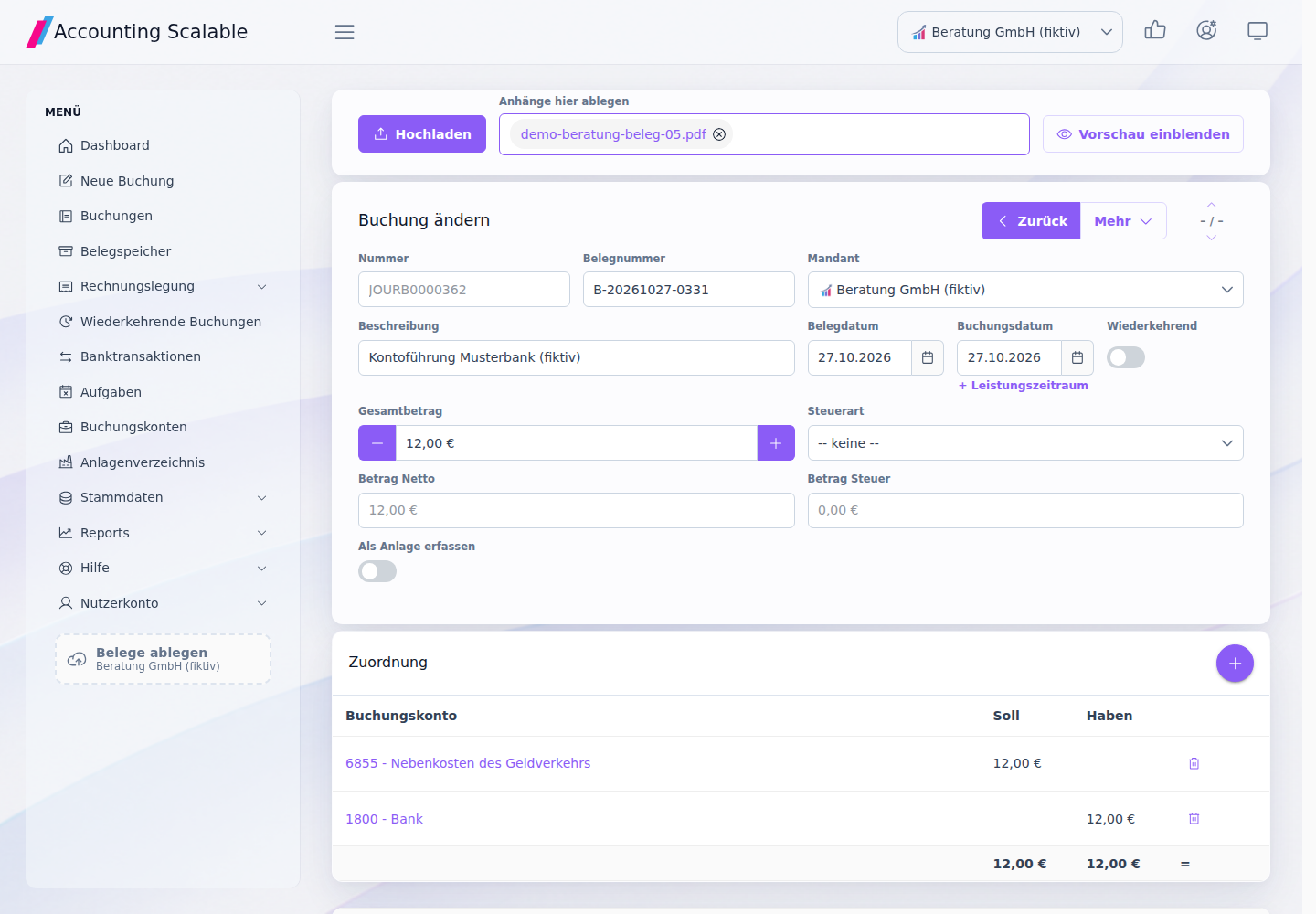
The app offers document storage, file upload, company assignment and links to postings/bank transactions. Store the file in the correct company, clarify its details and check the posting preview before giving final approval to a transaction.
The VAT review view helps you trace supported reporting items and their links to postings. It does not automatically approve input VAT deduction based on a brand name or file format. Clarifying tax treatment and checking the technical format are separate tasks.
Sources and information date
- UStG §3a: Place of supply of services
Publisher: Bundesministerium der Justiz / Bundesamt für Justiz. Legal/information status: 3 November 2026. Retrieval / comparison: 2026-11-03.
- UStG §15: Input VAT deduction
Publisher: Bundesministerium der Justiz / Bundesamt für Justiz. Legal/information status: 3 November 2026. Retrieval / comparison: 2026-11-03.
- Umsatzsteuer-Anwendungserlass (VAT application guidance), current as of 2 June 2026
Publisher: Bundesministerium der Finanzen. Legal/information status: 3 November 2026. Retrieval / comparison: 2026-11-03.
- UStG §13b: Recipient as the person liable for VAT
Publisher: Bundesministerium der Justiz / Bundesamt für Justiz. Legal/information status: 3 November 2026. Retrieval / comparison: 2026-11-03.
- UStG §14: Invoice and audit trail
Publisher: Bundesministerium der Justiz / Bundesamt für Justiz. Legal/information status: 3 November 2026. Retrieval / comparison: 2026-11-03.
- OpenAI Services Agreement, effective from 1 January 2026
Publisher: OpenAI. Legal/information status: 3 November 2026. Retrieval / comparison: 2026-11-03.
- OpenAI Europe Terms, updated 16 January 2026
Publisher: OpenAI. Legal/information status: 3 November 2026. Retrieval / comparison: 2026-11-03.
- OpenAI Help: Billing information / VAT ID
Publisher: OpenAI Help Center. Legal/information status: 3 November 2026. Retrieval / comparison: 2026-11-03.
- Google Ads Help: Billing options
Publisher: Google Ads-Hilfe. Legal/information status: 3 November 2026. Retrieval / comparison: 2026-11-03.
- Google Ads Help: Taxes in your country
Publisher: Google Ads-Hilfe. Legal/information status: 3 November 2026. Retrieval / comparison: 2026-11-03.
See the right workflow for yourself.
Start with synthetic examples in the read-only demo. Then check your own test records in your personal instance.
Notes and requirements
This article provides general information and does not constitute individual tax advice. You remain responsible for reviewing your bookkeeping, annual financial statements and tax returns. This general working guide does not replace individual tax or legal advice. You review and take responsibility for your information and approvals. You can seek targeted advice on individual unresolved technical questions.
All explicitly fictional cases and app views use test data. They are not customer reports, evidence of time or cost savings, or universal templates for tax account assignment.
The software supports the app scope described in each case. Year-end closing, tax returns/E-Bilanz and registry filing are separate tasks; supported years, formats, instance configuration and your own approvals determine the usable route.